HoopGram
Menu

Hoop

One machine, one AI, both yours.

Hoop is a cloud server that belongs only to you, with an AI that works only for you. You talk to it in the browser on your computer or phone; it keeps your calendar, tidies your files and looks things up, and what it does and what you keep stay on that machine.
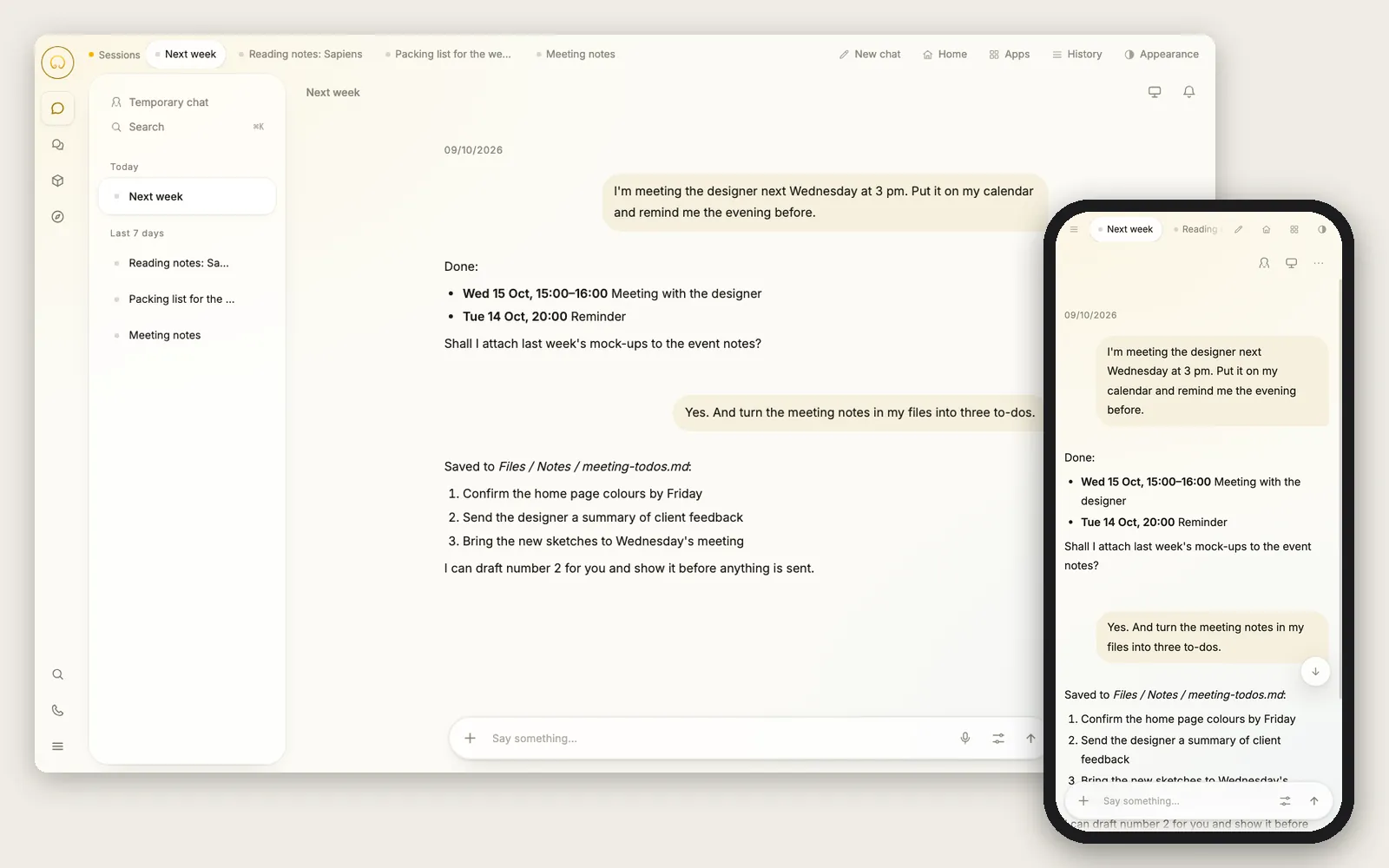
The Hoop chat screen, in a computer browser on the left and a phone browser on the right; the conversation asks it to add a meeting to the calendar and turn meeting notes into to-dos.
Demo account and demo content. The screens are the stable release users have today.

What you find inside

Chat

Say what you need in a sentence and it gets on with it; keep several conversations going, all kept on your machine.

Files

Your own folders: upload, sort, open — and it can read and edit them for you.

Calendar

Events and reminders that arrive on time.

Mail

Every Hoop has its own email address; the mail it receives is stored on that machine.

Memory

What it remembers, you can see and change.

How to get one today

  • Open hoopgram.com/buy, choose a plan and a location, and give your Hoop a name. Your browser creates and keeps the recovery key — it is never uploaded — and you can download a copy.
  • Sign in or create an account with your email, then pay; checkout shows the exact amount.
  • The rest happens on its own: preparing the server, registering the name, issuing certificates, installing the latest stable release. The progress page shows each step; you can close it and an email arrives when it is ready.
  • The initial password is shown once, on the progress page. Note it, sign in at <name>.hoopgram.ai, and a short three-step welcome greets you the first time.

Your data, your call

  • An encrypted backup runs every night; the recovery key stays with you.
  • New stable releases install automatically, with a backup first and an automatic roll-back if the install fails; you can switch automatic updates off on your server page in your account.
  • If you leave, you can export your data and take it with you. The export tool works today; restoring it on another machine on your own has not been verified yet.

Price

One price worldwide: Basic $10 a month including tax; Pro $32 and Enterprise $325 a month plus applicable tax. The machine and backups are included, and the service fee in any payment is refunded in full within fourteen days.